 WMS MODULE 02
Smart Inventory Management
Organize inventory items, monitor stock quantities, track warehouse-wise inventory and maintain clear visibility across warehouse operations.
 WMS MODULE 02
Organize inventory items, monitor stock quantities, track warehouse-wise inventory and maintain clear visibility across warehouse operations.
Keep important inventory information organized and accessible from one centralized platform.
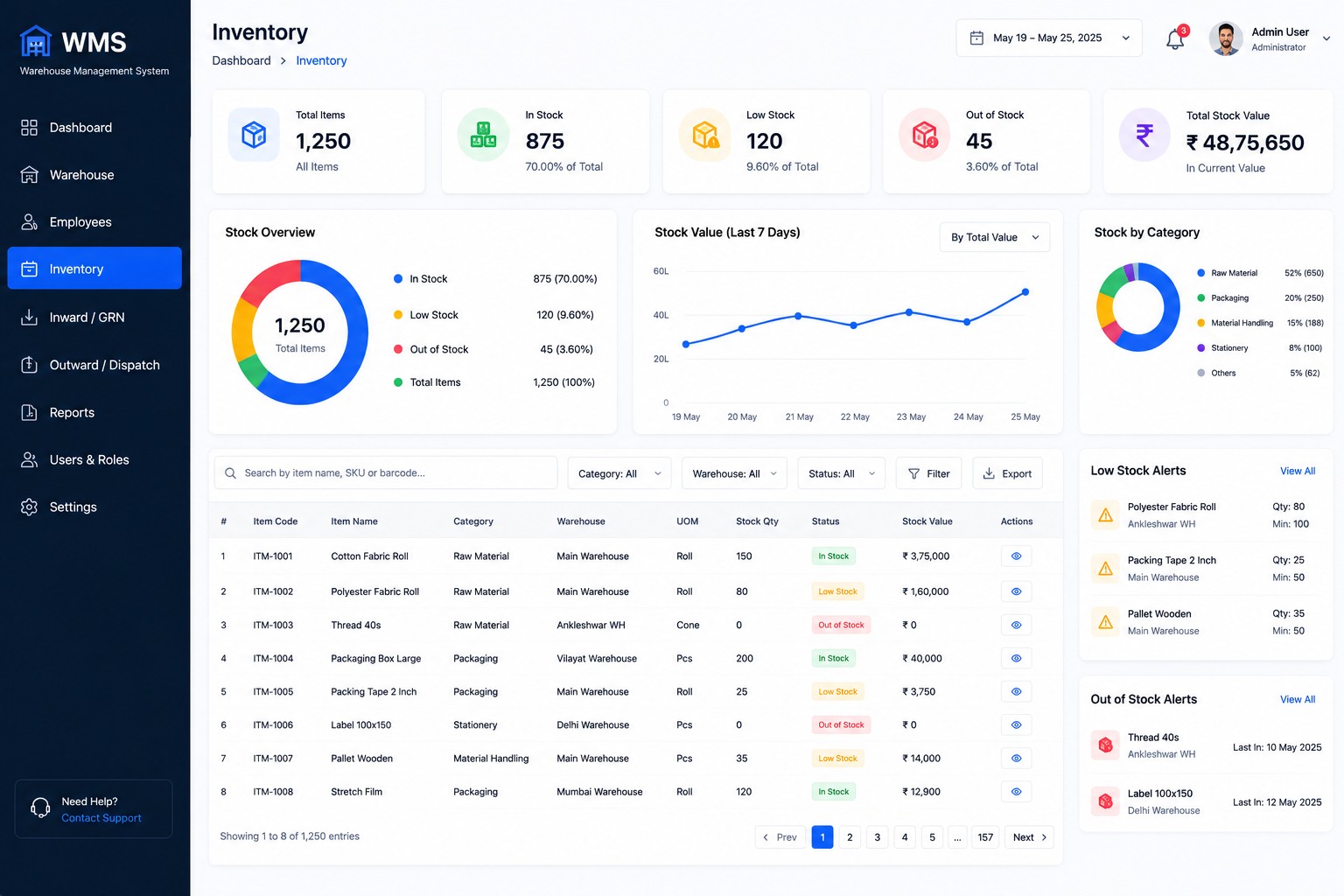
Kopersay WMS provides an organized inventory interface for managing items, quantities, stock status, warehouse distribution and inventory information.
Manage inventory items, monitor available quantities, identify low-stock items and understand warehouse-wise stock from a centralized system.
Inventory Management module की मदद से items, stock quantity, warehouse-wise inventory और stock status को एक ही centralized system से manage किया जा सकता है।
Essential capabilities for structured inventory and stock management.
Maintain organized information for inventory items and products.
Monitor available inventory quantities across warehouse operations.
Identify inventory items that may require replenishment attention.
Get visibility into items that currently have no available stock.
Understand inventory distribution across different warehouse locations.
Maintain visibility into inventory value and important stock information.
Keep inventory data structured across important operational areas.
Maintain important information associated with each inventory item.
Keep visibility into current inventory quantities and stock conditions.
Understand where inventory is distributed across warehouse locations.
Monitor important inventory conditions for better operational awareness.
Manage inventory information through a clear operational workflow.
Create and organize inventory item information.
Connect received inventory with inward warehouse operations.
Monitor inventory quantities and warehouse-wise distribution.
Connect inventory with outward and dispatch operations.
The inventory interface provides a structured overview of important stock information, helping teams understand inventory status and warehouse distribution.
A structured inventory system helps teams maintain clearer visibility across operations.
Keep important inventory information organized in one platform.
Understand available stock and important inventory conditions more easily.
Maintain visibility into inventory distributed across warehouses.
Use organized inventory information to support day-to-day warehouse decisions.
Discover inventory, warehouse, employees, inward, outward, reports and other WMS capabilities.
View WMS Overview